In the era of smartphones and AI, we practically cling to our phones in our hands. And it’s our thumbs that are handling all the stress related to the chores we do in everyday life. Whether it is texting, scrolling, playing games, or even handling work emails, our thumbs and hands are handling it all.
This overuse can cause pain, stiffness, and even permanent injury over time. Thumb strain from smartphone use could be the culprit behind discomfort at the base of your thumb, or even a sudden, intense pain when gripping your device.
Let’s look at what causes thumb pain from using a phone and, more importantly, how to avoid it, such as when to think about getting a thumb spica splint.
Why Does Using a Phone Hurt Your Thumb?
1. Repetitive Strain Injury
Repetitive strain injury is one of the most common reasons why people have pain in their thumbs. When you scroll, swipe, and type all the time, your thumb has to move over and over again without enough rest. These bothers tendons and muscles over time, which causes inflammation and pain.
2. Inflammation of the Tendons
Overuse of the phone can make the tendons inflamed. Tendons that control thumb movement can lead to a condition like De Quervain’s tenosynovitis, also known as texting thumb. This hurts the wrist on the thumb side, especially when you grip or twist it.
3. Bad Ergonomics
When you hold a big smartphone in one hand, your thumb has to stretch across the screen in a way that isn’t natural. Your thumb has to work harder when the phone you are using is wider. Using your phone for a long time without support puts more stress on the thumb joint.
4. Weak Muscles in the Thumb
When you repeatedly put your weak thumb muscles under stress, they quickly fatigue. This increases your risk of injury or discomfort.
Common Signs of Pain in the Thumb while using a Smartphone
- Pain at the base of the thumb.
- Swelling around the thumb joint.
- It hurts when you grip or pinch.
- Stiffness or less movement in the thumb.
- A sensation of something catching or clicking during movement.
If these symptoms persist for more than a few days, worsen, or begin to interfere with your daily activities, it’s wise to take action.
How to Keep Your Thumbs Safe: Tips
The good news is? You can avoid getting thumb pain from using your phone by making some simple changes to your habits and getting the right help.
1. Don’t be stuck to your phone constantly
Make it a point to take frequent breaks. Try the 20-20-20 rule for your hands:
- Every twenty minutes
- Give your hands a rest for a minimum of twenty seconds
- Gently stretch your thumbs and fingers
Taking short breaks helps keep tendons from getting too much work and keeps them from getting inflamed.
2. Change Hands Often
Don’t use the same thumb for long periods of time. Switch hands while texting or scrolling to make sure the work is spread out evenly.
3. Type with Both Thumbs
Using two thumbs to type puts less stress on one joint. It makes your thumb movements smaller and easier to control.
4. Change How You Hold It
Instead of putting your thumb across the screen:
- Use both of your hands.
- Use your fingers to hold up the phone.
- Think about getting a phone grip or a popsocket.
- When you can, use voice-to-text features.
You can also put your phone down instead of holding it for a long time.
5. Make Your Thumbs Stronger and More Flexible
Simple exercises can help you build endurance:
Stretch Your Thumb
- Put your hand out in front of you.
- With the other hand, gently pull your thumb back.
- For 15 seconds, hold.
Exercise for Thumb Opposition
- Slowly touch your thumb to each fingertip.
- Do it ten times.
These exercises make you more flexible and less stiff.
6. Use a Thumb Splint to Help You Heal
A thumb splint can be very helpful if you’re already in pain. A thumb splint keeps the joint still so that inflamed tendons can rest and heal. It stops too much movement, which can make irritation worse.
Thumb splints are very helpful for:
- When you sleep
- While sitting at a desk
- When pain gets worse
But you shouldn’t wear splints all the time without talking to a doctor first, because too much use can make muscles weaker.
7. Use a Brace to Support Your Thumb
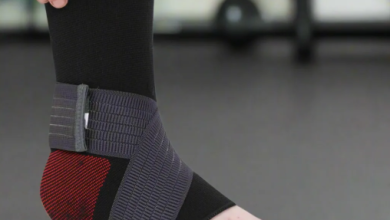
Consider a thumb support brace instead. It offers a different kind of assistance, providing mild compression and stability while still allowing for some thumb movement. This makes it a good option for daytime use, particularly when you need your thumb to be usable.
Advantages of thumb support include:
- Lessens stress
- Provides warmth to ease joint pain
- Makes things more stable
- Preventing further injury
Many individuals use thumb support to protect their thumbs when they spend extended periods on their phones or gaming.
8. Adjust the Settings on Your Device
To reduce stress:
- The font can be made bigger
- How to use swipe typing features
- Turning on voice commands
- Limit screen time for notifications
Less scrolling means your thumb has to do less work.
When to Visit the Doctor
If you feel:
- Very bad swelling
- Pain that doesn’t go away for more than two weeks
- Tingling or numbness
- Grip strength is weak
You should talk to a doctor. Early treatment tends to prevent long-term damage to tendons.
Final Thoughts
Thumb pain from phone use is a common complaint these days, but it doesn’t have to be a permanent condition. You can significantly reduce your chances of developing this issue by adjusting your daily habits, improving the ergonomics of your workspace, and incorporating exercises designed to build strength into your regular activities.
If your thumb hurts, a thumb splint for a short time or a flexible thumb support brace for daily stability can help it heal without putting more strain on it.
Your smartphone isn’t going to go anywhere, but you can get rid of your thumb pain with smart prevention tips.
Today, take care of your thumbs so they can keep up with all the scrolling tomorrow.